

“Hey, what’s going live this week?”
If the answer involves three links, a screenshot of a spreadsheet, and a Slack thread from Tuesday, you don’t have a marketing problem.
You have a visibility problem.
As B2B marketing teams scale, adding channels, campaigns, stakeholders, and approvals, complexity grows fast. Content calendars live in one tool. Tasks in another. Strategy in a slide deck. Feedback in Slack. Approvals in email.
Individually, each piece makes sense. Together? Chaos.
We decided to fix that.
Enter: The Notion Garden 🌱
The Notion Garden is our customized version of the project management template in Notion, where everything related to a marketing engagement lives: content calendar, weekly publishing plan, task tracking, drafts, approvals, notes, and status updates. One place. Fully visible. Always up to date.
Instead of asking what’s happening, you can see it. And when everyone works from the same source of truth, decision-making gets faster.
For enterprise B2B marketing, where launches, campaigns, webinars, conferences, and sales enablement assets are all running in parallel, that level of visibility isn’t optional. It’s what keeps things from slipping.

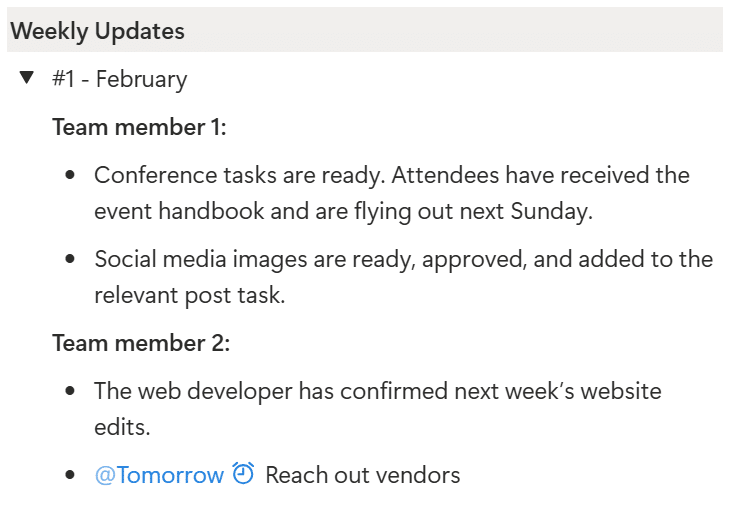

Built around the Team, not around the tool.
Most project management tools, including Notion, are built around the tool’s logic. We do it the other way around.
Before building the Notion Garden, we mapped our actual marketing processes. We defined our inputs (briefs, campaign goals, drafts), our outputs (published content, launched campaigns, sales assets), and the core information that must be visible to the entire team at all times.
Only then did we build the system.
Every Notion Garden workspace is structured the same way, but customized around our clients’ channels, content mix, approval flow, stakeholders, internal meeting cadence, and more.
We don’t force the workflow into a rigid template. We design the system around how the team actually operates. And because it’s built on Notion, there’s virtually no limit to how tailored it can get.
One update. Everywhere.
This is where it gets powerful. The Notion Garden runs as a live database, which means everything stays in sync automatically. A task marked “Done” updates across all views. A shift in publish date is reflected immediately in the weekly plan. A new draft appears in the approval queue. A stakeholder tag triggers a notification.
No one is chasing status. No one is forwarding screenshots. The information just flows.
What this unlocks
When a marketing team has full visibility and a single source of truth, a few things tend to happen: alignment comes naturally, approvals move faster, campaigns launch on time, and the strategic work gets the attention it deserves instead of getting buried under operational noise.
Want to build your own version?
You don’t need a complex setup to create something similar.
1. Define your inputs and outputs. It may seem obvious, but it’s essential for customizing your board so you see exactly what you need to see.
Essential properties to start with:
- Views: calendar, list, Kanban board
- Task information: due date, owner, status, priority, dependencies
- Related assets: Google Drive folder links, Custom GPT links, or connections to other databases
- Task type: Blog post, social, webinar
Think about how the information should be organized to make it easy for you and your team to navigate and use.
2. Create a single source of truth database. Resist the urge to create a lot of separate lists. Start with one single place where all work lives.
- Start from scratch or use a project template in Notion.
- Create one master database in this page. Everything goes there: tasks, drafts, launches, approvals. One source of truth.
- This table should include all the properties you defined in step 1.. For example: title, due date, status, owner, and task type (content, events, etc.).

3. Build views, not new systems: Once the database is set up, the rest is about creating the right views. That’s why step 1 is fundamental. Add a calendar view, a weekly view, and a “needs review” view, all pulling from the same database. Don’t duplicate databases; it is about the right visualization.
4. Start using it with your team. Make one rule: if it’s real, it’s in the system. If a task isn’t in the database, it doesn’t exist. Consistency is what makes the structure powerful.
5. Improve only after you use it: Run it for two weeks, then refine. Add fields and structure based on real use with your team. You’ll likely realize that additional task properties are needed, or that a different filtering or grouping setup would work better for certain views.
The bottom line
Marketing doesn’t need more tools. It needs fewer tabs and better structure.
A centralized, customized workspace creates alignment, speeds up execution, and reduces friction across teams. When everyone sees the same picture, things move faster and smarter.
That said, no single system solves every scenario.
For example, in some enterprise environments or special projects for our clients, we run the Notion Garden as the internal engine, but use a structured Launch BOM spreadsheet for major product launches. Why? Because large, cross-functional launches often involve external stakeholders who aren’t going to log into Notion. A shared spreadsheet becomes the most practical coordination layer.
If you’d like to see what a Notion Garden looks like in action, we’re happy to give you a tour.